CloudFold keeps your devices and your own Nextcloud server in step. Browse every file without filling the device, keep what you need offline, and let each device back itself up.
Android
Apple
Windows
Linux
Your devices
The same on both
Your Nextcloud
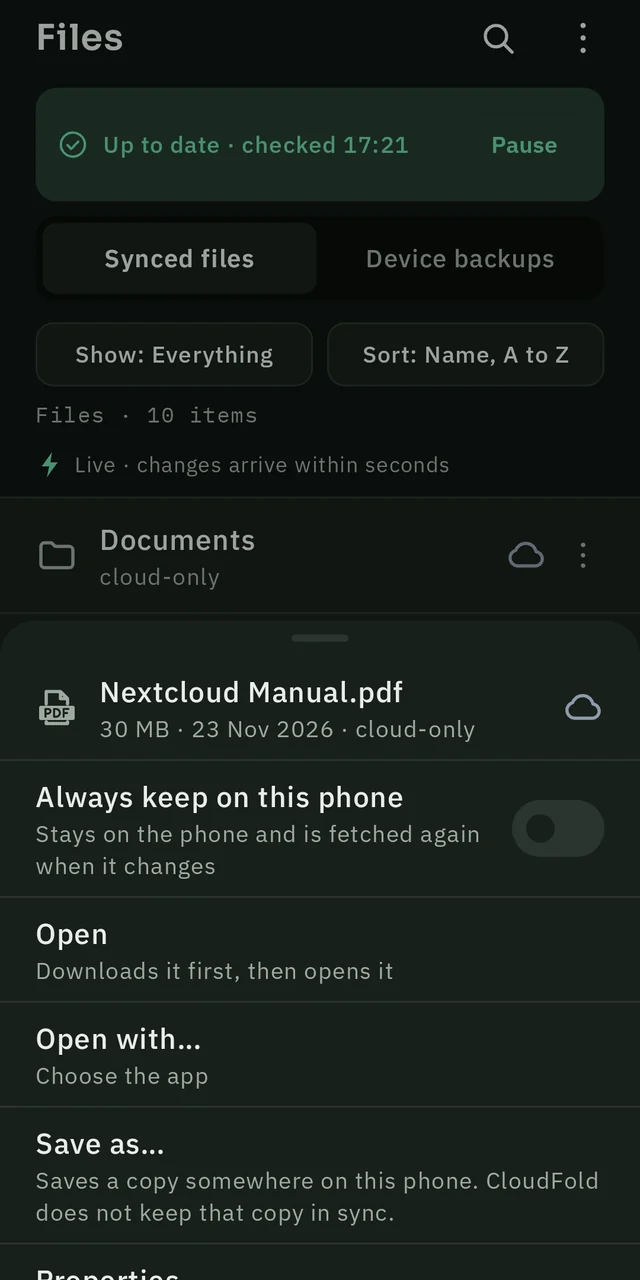
Every file listed, nothing downloaded until you ask
Your whole Nextcloud is in the app. A file takes space on the device only once you open it or choose to keep it.
Search, filter by kind, and sort.
Keep a file or a whole folder on the device; it is refreshed when it changes on the server.
Free up the space again with one tap. The file stays on the server.
Where the device allows it, your files also appear in its own file picker, so other apps can open them.
Every device backs itself up
Choose the folders once: camera, downloads, documents. CloudFold copies new and changed files to your server and never changes anything in those folders.
As soon as something changes in a folder, if you switch that on for it.
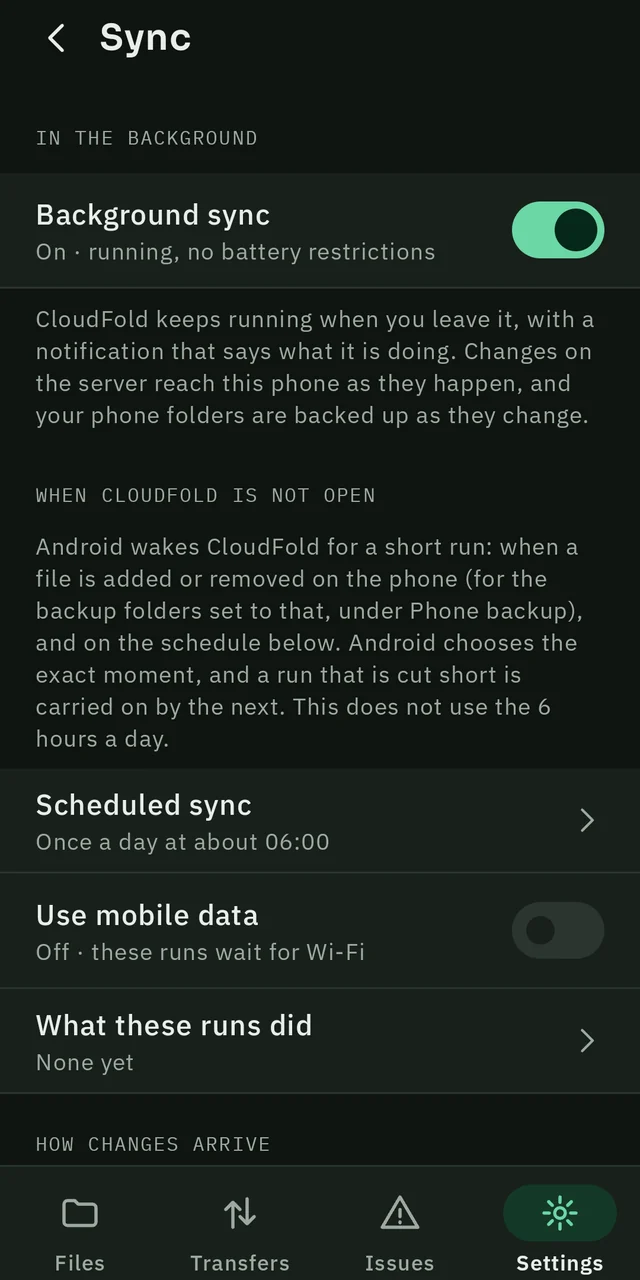
On a schedule as well: once a day at a time you choose, or every few hours.
On Wi-Fi only, unless you allow mobile data.
On a new device, restore a backed-up folder to where it was. Files already there are never replaced.
It says what it needs, and why
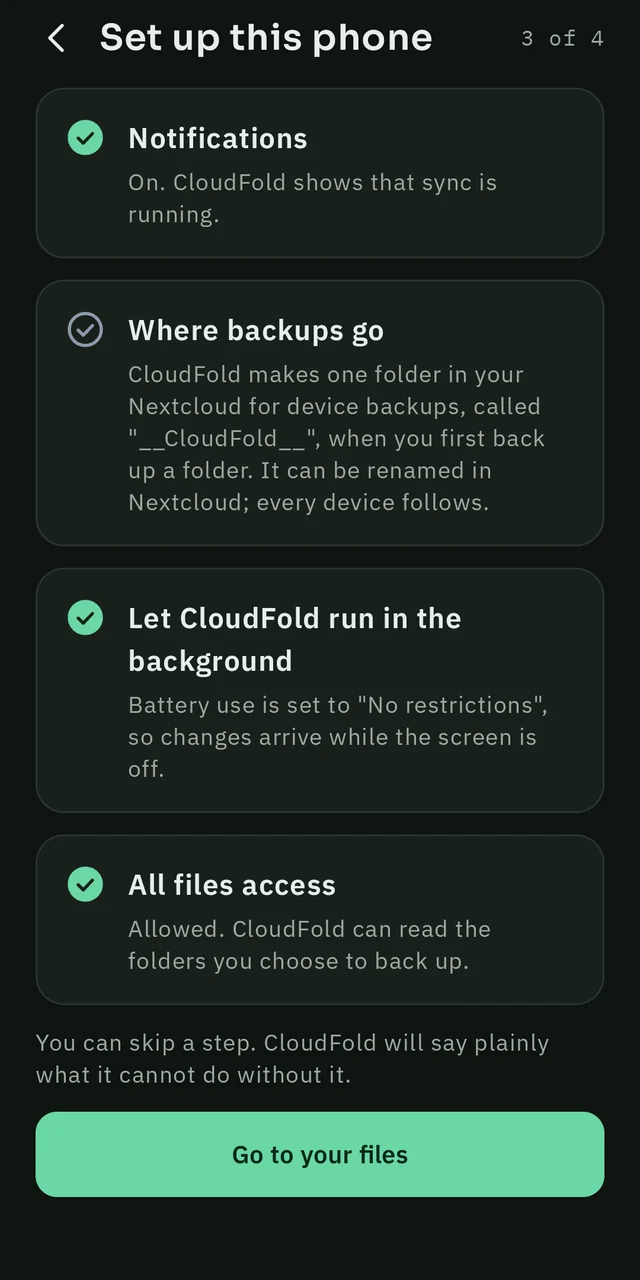
Setting up is a few steps, each explained in a sentence. Skip one and CloudFold tells you plainly what it cannot do without it.
You sign in on your server's own page. CloudFold never sees your password.
It keeps an app password that you can revoke on the server at any time.
A list of what is running, waiting and finished is always one tap away.
Four rules it keeps with your files
When in doubt, it keeps both.If a device and the server disagree and CloudFold cannot tell which is current, neither copy is thrown away.
An error is never a deletion.A failed connection or a folder that cannot be read is not taken to mean the files are gone.
Nothing is overwritten blind.Uploads and downloads are checked before they take the place of anything.
One bad file never blocks the rest.It is set aside and listed with the reason, and everything else carries on.
One CloudFold, every device
The same files, the same four rules and the same privacy on each one.
AndroidAppleWindowsLinux
Private by design
CloudFold talks only to the server address you enter.
No analytics, no advertising, no tracking.
Encrypted connections only.
It has no cloud of its own and no account to create.
A device of your own: Android, Apple, Windows or Linux.
Optional, for the server's administrator: the CloudFold Journal app and sync service, which make changes arrive within seconds. CloudFold works without them.
End-to-end encrypted folders, folders shared with you by other people, and group folders are not part of this version. CloudFold is an independent app. It is not made or endorsed by Nextcloud GmbH; "Nextcloud" is a trade mark of its owner.
 DevStorm
 CloudFold